Archive for the ‘Personal’ Category

Goldfrapp at the Royal Festival Hall

Friday, April 18th, 2008

Goldfrapp Seventh Tree

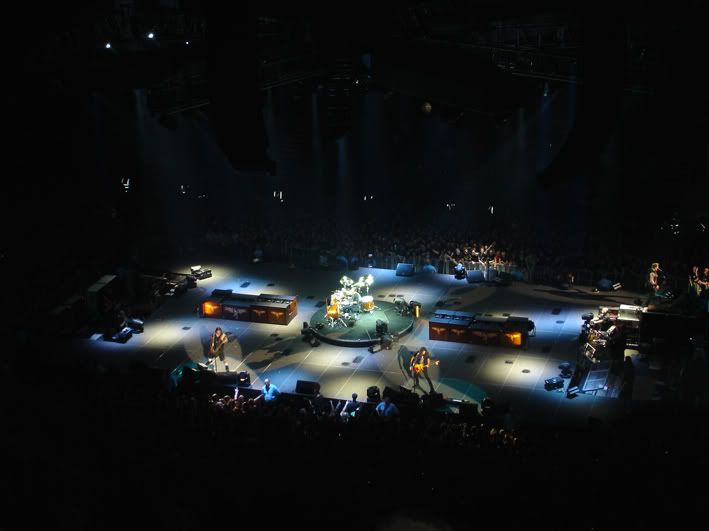
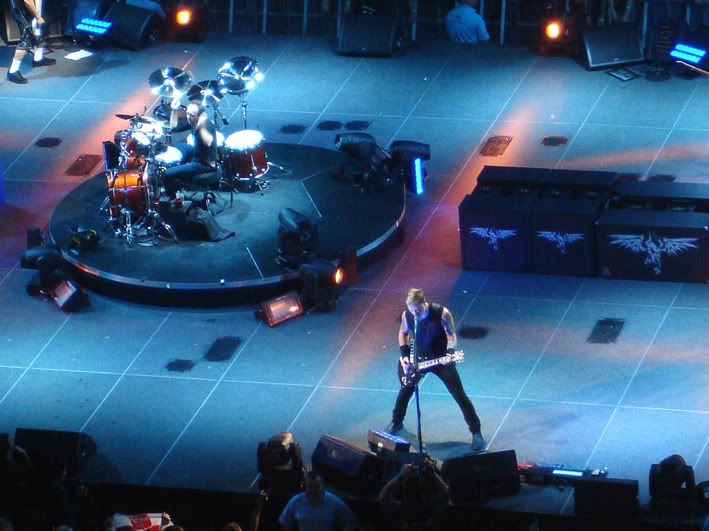
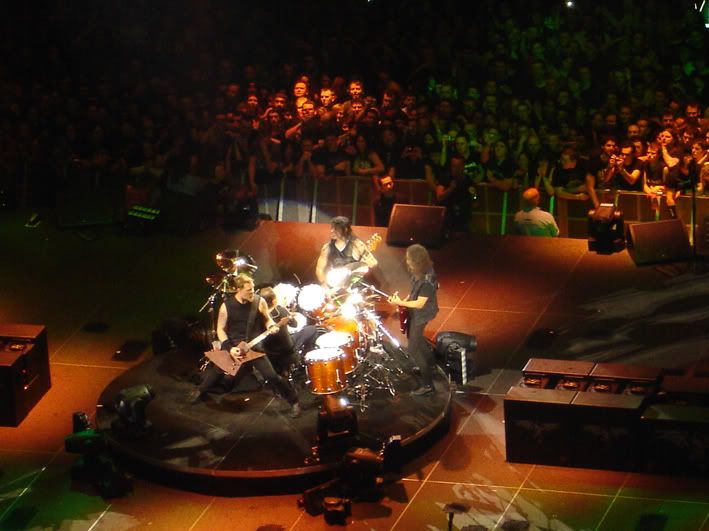
Two years ago, I attended a charity gig to see Goldfrapp performing at the majestic Royal Albert Hall and it was a stunning night. Fast-forward to this year and with the group’s latest album Seventh Tree doing well in the music charts, it was a great pleasure to experience the wonderful and cool sounds from the talented Alison Goldfrapp live in the Southbank.

Even though there was a problem with bad sound at the Royal Festival Hall, it was a fantastic night out to see Goldfrapp performing a range of great tracks close up - I had a great seat at the front row.

From the crowd favourite and clubbed-up powerhouse that is ‘Strict Machine’ to the sublime and provocative ‘Paper Bag’, Alison was on fine form entertaining the crowd with great enthusiasm. The highlight was of course ‘Happiness’ and each member of the audience was given a kazoo to play along!

Finally got a PlayStation 3

Friday, April 11th, 2008

PS3 GT5P

Back in March 2007, I posted on my blog that I wasn’t that interested in the PlayStation 3 as it was too expensive and didn’t have that many games. Well, after a year of waiting for the price cut and a certain “real driving simulation”, I have finally purchased the new Sony game console.

Sure, it doesn’t support the backwards compatibility to play PlayStation 2 games like Okami, Grand Theft Auto: San Andreas and Metal Gear Solid 3: Snake Eater, but at least I didn’t have to pay over £400 to buy this advance machine. Okay, it has a smaller hard drive than the 60GB model – that can also play PS2 games – but I feel I made a wise choice in buying one as there are some decent quality titles coming out on this system in 2008.

The first of which is Gran Turismo 5 Prologue. It maybe a demo offering a slight glimpse of what the real game will be like with hundreds of car manufacturers, real race tracks from around the world and at last, damage mode – but the fact that this game showcase the potential of the PS3 with high definition visuals and sound means I am genuinely excited by this next gen video game console.

The PlayStation 3 uses the Blu-ray disc media that is now the definitive choice for high definition viewing – though I won’t be spending my cash on purchasing the same films to have a rich and nice display.

I believe Konami’s tactical espionage action game that is Metal Gear Solid 4: Guns of Patriots will be the biggest hit for the PS3. From scanning those stunning screenshots and digesting every bit of information about Hideo Kojima’s stealth-based video game, I am genuine excited to play it.

For the time being, I will make do with the racing games I got for the system with the likes of Formula One Championship Edition and MotorStorm to fulfil my need for speed.

Autosport International 2008

Saturday, January 12th, 2008

Autosport Show 2008

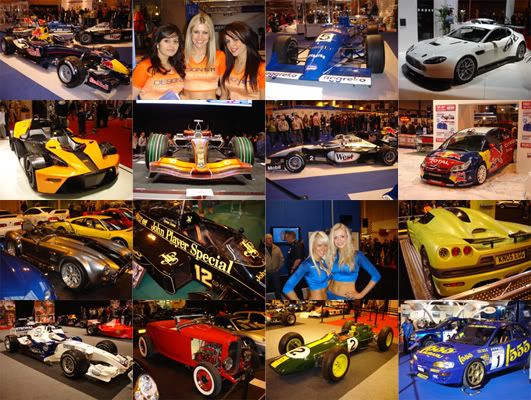
A new year means another visit to the Birmingham’s NEC for the annual trip to the biggest motor racing show, the Autosport International.

The main highlight was the 50th anniversary of the British Touring Car Championship. Seeing the many ‘tin top’ racing cars up close was a real treat, especially the dominate Vauxhalls of the late 90s but I was slightly disappointed not to see the sinister black Ford Sierra that dominate the series in the mid 80s.

Another high point was the Colin McRae tribute stand, featuring an impressive collection of rally cars. Observing all these vehicles that the 1995 World Rally Champion drove throughout his career was highly emotional and it is still a shock that the popular Scot is no longer with us.

The Live Action Arena was extended with more racing action from the likes of Formula Palmer Audis, stockcars and new to the show, dragsters. These straight-line accelerating monsters sounded great in particular the 1953 Studebaker. I was amazed how much tire smoke it produces as the whole arena vibrated to its powerful engine (not to mention going deaf)!

As for the Formula One grid, it was fascinating to see the 2007 single-seater cars up close and personal. The chrome McLaren is simply gorgeous while the ‘earth’ theme Honda didn’t… This year’s Autosport International also included an extra feature, the Pistol Head performance car show and to be honest, I wasn’t a fan, Sure it was nice to see exotic supercars from the likes of Ferrari, Lamborghini and Porsche, but it felt like I stepped into Max Power world… And it didn’t help that the promo girls were wearing less (on second thoughts, that’s a good thing!).

At the end of an exhausting and long day, we left with a range of photographs stored on our digital cameras and fantastic memories of racing cars and stars.

Guitar Hero III: Legends of Rock

Thursday, January 3rd, 2008

Guitar Hero III Slash

After playing both version of Guitar Hero II on the PlayStation 2 and Xbox 360 to death, it’s nice to experience a new set list of rockin’ tracks with the latest instalment of the popular music rhythm game.

Guitar Hero III: Legends of Rock has been developed by Neversoft after Activision decided to focus its attention on creating a brand new music game – the quite superb Rock Band (which is currently available in the States). Even though the game play to Guitar Hero III is identical to the previous titles, it some how feels different…

Yes, you still need to play through the different tracks by pressing the five colour fret buttons with the unique guitar controller but new to Guitar Hero III is the boss battle mode. To be honest, I really despise this new game play element as the balance between winning and losing is so random…

Okay its great to face-off legendary guitarists like Tom Morello (of Rage Against the Machine/Audioslave), Slash (of Guns N’ Roses/Slash’s Snakepit/Velvet Revolver) and Bret Michaels (of Poison) but you have to rely on sheer good fortune to take victory.

To defeat your opponent, you will need to pick up Battle Power (which replaces Star Power) to earn attacks. By using this special ability, you can strike against your fellow competitor just by tilting the guitar upwards. It may seem fun to keep on attacking but they can fight back - causing missed notes, increase in difficulty and even amp overload!

As for the visuals, the set designs and animation of the band members feels more realistic. In fact the lip sync on the singer matches the voices coming out of his mouth!

The track listing is now full of master recording from the likes of The Rolling Stones, The Smashing Pumpkins, Muse, Metallica and The Sex Pistols. It all sounds fantastic, a massive improvement over the cover versions that were featured in the previous Guitar Heroes.

And with the new wireless guitar – based on a real Gibson Les Paul model – playing the tracks is a more rewarding experience. What a shame that the boss battle seems misplace after all the fun playing encores… At least the new controller has a better responding whammy bar and is a lot more comfortable compare to X-plorer…

Race of Champions comes to Wembley

Sunday, December 16th, 2007

Race of Champions 2007 Wembley

After hosting the traditional end-of-season motor sport event in Paris at the State de France for three years, the organisers of the Race of Champions (Michèle Mouton and Fredrik Johnson) decided to change venue for 2007.

It may have been years behind schedule and cost a huge amount of resources to construct, but the new Wembley Stadium in North London was a truly impressive sight when racing cars took central stage.

Back in 2004, when I went to Paris to attend my first Race of Champions I was amazed by the quality of racing from the best drivers from the world of Formula One, rallying, touring cars and single-seaters. The atmosphere – with the fans cheering on their favourite drivers as they tear around the figure-of-eight circuit with tyre smoke – was electric! And when the news came through regarding the event coming to London, I wanted my friends to come along and experience it themselves!

I invited some good friends from the TokyoToys forum who are interested in motor racing. Even though Ashlea, Chris and Michael couldn’t afford the tickets (and to be honest, it was expensive) I was more than happy to pair for them. In fact, it was my special Christmas treat to make them attend the event!

On the day, I meet up with Yas at Baker Street tube station to have a spot of lunch with other TT members. We had a nice Italian meal in a nearby restaurant and it was quite amusing to see the waitress cutting some slices into Amy’s pizza, as she was having trouble with her blunt knife!

After eating, we made our way to Wembley by taking a direct (and very fast) route on the Metropolitan line. After stepping out of the tube station, the first sight you see is the impressive spanning archway over Wembley Stadium.

Chris was running late at this point so we agree to meet him at the entrance point. He finally arrived some time later and we our way in and towards our stand. Initially, I was worried that the seating arrangement at the far end of the stadium wouldn’t offer any good views but when we got to our seats, we had a spectacular vantage point overlooking the figure-of-eight race track!

The event was highly entertaining despite the harsh winter winds! We were absolutely freezing our arses off but the track activities kept our spirits warm.

Double DTM champion Mattias Ekstrom won the main Race of Champions after beating the seven-times Formula One world champion Michael Schumacher in a series of tense heats. But Michael had the last laugh as Team Germany won the Nations Cup with fellow colleague Sebastian Vettel.

The most amusing moment in the Race of Champions was when Schumacher stalled on the start and finish line! Michael was even overtaken on the track by new McLaren signing Heikki Kovalainen. This was the high point for the Finn as he would later crashed out in spectacular fashion in a dramatic race with Andy Priaulx.

After the fun day out, we all made our own way home and once back, I was happy to see the many photographs and videos posted on Facebook by the others! Reading the various comments on that popular socialising website, everyone was ecstatic about the event and Yas in particular was looking forward to attending the event next year. For Michael, he was fond to see his idol Schumacher racing while Ashlea and Chris enjoyed the whole experience. Same time next year everyone?

Heroes Volume 2 review

Wednesday, December 5th, 2007

Heroes Season 2 cast

After eleven episodes Volume 2 of Heroes is now over and due to the writer strike, it is unclear whether Volume 3 will re-commence. In the meantime, I can reflect back on the past season of Heroes (warning: contains spoilers).

The first volume was nothing short of spectacular with fascinating characters and exciting storylines that became the show to watch on television. It is not surprising how popular it became after twenty-three nail biting episodes, that you would expect the following season to continue this thrilling drama.

Unfortunately, the hype of Heroes means fans were expecting too much. We wanted more action sequences and another face-off with Peter versus Sylar. Instead we got a slow start with a couple of quite frankly, tedious episodes in Volume 2.

The first episode introduces a set of new characters including Maya, Alejandro, West, Monica, Adam, Elle and Bob. Immediately I wasn’t a fan of the so-called ‘Wonder Twins’ a.k.a. Maya and Alejandro. Maya’s special ability was her ‘tears of doom’ in which people around her will drop dead whenever she cries… To reverse the effect (and make everyone around her back alive), twin brother Alejandro can heal by holding her hand.

Claire Bear’s new boyfriend (West) was also annoying. Yes, he fancy the former cheerleader by hiding in the trees ‘admiring’ her but the whole romance sequences between the pair made this part of the show feel like a teen drama – something straight out of The O.C.

As for Monica, she was kind of cool with a unique ability in replicating any physical motion after watching it. But I found it infuriating that she didn’t watch enough videos on her iPod to escape from that thug who caught her trying to retrieve back Micah’s comic books. That resulted in Niki coming to the rescue but dying in a fireball…

Adam Monroe/Takezo Kensei on the other hand was a revelation. He turns out to be the main villain who wants to unleash the Shanti virus on the world. David Anders plays this character so well (he was also a bad guy on spy drama Alias) and I enjoy the way he manipulating both Hiro and Peter that he was doing the right thing. Silly Heroes!

As for Elle, at first I thought she was a bitch! Kristen Bell played the girl with the ability to throw balls of electricity straight out of her hands. She killed Peter’s Irish girlfriend’s brother by frying him! In the final episode, she turns to the good side by helping to capture Sylar to please her father Bob.

Bob is the head of The Company in which both Noah and Mohinder try to bring down. Working under cover the doctor was easily influence by Bob by believing that he was doing the right thing by creating a cure for the deadly virus. But it turns out to be the other effect…

As for the regular characters, they still play a part in the series but I was shocked in how stupid they became! Volume 2 was titled ‘Generations’ but it should be renamed as ‘Gullible’ as Peter, Mohinder, Claire and Hiro simple lack any brain cells between them! You wanted to scream in frustration and I still can’t forgive Dr. Suresh shooting Noah in the eye(!) just because he doesn’t know whom to trust… Of course, The Company exploiting him, but I thought Noah was on your side so you just shoot him instead?

Matt Parkman was the only character that had an interesting storyline with a progression in his power to read people’s mind. He used this to his advantage in trapping his own father after experiencing first handily in a mindf*** episode (Fight or Flight).

And the re-introduction of D.L. in one episode (Four Months Ago…) and then killing him off some minutes later was a waste. What was the point in bringing Niki’s husband back? In addition, the whole New Orleans storyline involving Micah and Monica was weak. Saving a bunch of comic books (and a medal) was more important than saving 93% of the world’s population? Oh, please(!)

As for Sylar, it was frustrating that he only got his power back in the final episode (Powerless) after injecting himself with Claire Bear’s blood. I like how he runs around decapitating people head’s off to absorb their power in season 1. Here in season 2, he spent most of his time flirting with ‘tears of doom’!

But the moment that annoyed me the most was when he was isolated in the middle of nowhere after killing that shape-shifting woman. In the following episode he was lying unconscious in the middle of the road… How did he get there?!

But the biggest annoyance was Peter Petrelli. He was by far the best character on the show. Peter has the ability to fly, can generate nuclear in his hands, travel through time and be able to walk through walls and yet, if only his brain was functioning a bit more, he could have prevented the destruction of the world by using a bit of common sense… Plus, whatever happened to his Irish girlfriend? She doesn’t exist in the present because she was capture in the future…

And what about Hiro – the fans favourite? Well, the loveable Japanese geek was stuck in ancient Japan trying to help out the great Takezo Kensei in becoming a hero. He eventually returns to the present time to stop Kensei – now Adam – in destroying the world!

In conclusion, season 2 wasn’t on par with the first season. The fact that the writer’s strike is still ongoing reveal how poorly constructed these eleven episodes were. It felt rushed and the second half of the season began to hit it stride, before it ended prematurely… Even Tim Kring, the series creator, admitted he should have focus the virus storyline quicker into Volume 2 than introducing a love story for Claire and West and a host of new characters like Maya and Alejandro.

Volume 3: Villains will be interesting. Can Heroes regain its form by providing more shocking moments? I hope so as still one of the most entertaining television shows around. Plus I do fancy Claire being indestructible and the return of the evil Sylar!

Leaf’s Xbox 360 RROD

Tuesday, December 4th, 2007

Xbox 360 RROD graphic

My Xbox 360 committed suicide this month by giving me the dreaded three red lights a.k.a. the Red Ring of Death. I was shocked when this occur especially as my friend was playing quite well on Expert mode in Guitar Hero II

The whole screen froze and when we tried to reset the console, the familiar red lights flashed away. To be honest, I was heading towards the console’s deathbed in the past couple of weeks when it crashed ten times in a space of an hour! In that period, I replayed the same race in Project Gotham Racing 4 without making past the first corner… To see white lines and square blocks appearing on my Samsung HDTV during a game and on the Xbox 360 loading screen means there is something seriously going wrong inside the machine.

I called up customer support immediately and after explaining the problem, I arrange a pick-up to get it repaired. The good news is that I don’t need to pay for the repair as Microsoft has a three-year warranty. The bad news is I won’t get my Xbox 360 for the next three to four weeks so in the meantime I can continue my quest in Super Mario Galaxy on the reliable Nintendo Wii! But in all seriousness, Microsoft is aware of the RROD situation. In fact, I discover that Microsoft receives numerous amounts of broken Xbox 360s with this problem EVERYDAY!

I hope I get it back in the New Year, as I desperately want to play Guitar Hero III: Legends of Rock with the new wireless guitar controller. Plus, I have to finish off those remaining levels in Bioshock (feel embarrass that I yet to complete it). Fingers cross my Xbox 360 is running fine without any more problems when I get it back.

Unleashing the Leopard

Sunday, November 11th, 2007

Leopard DVD box

After months of delays in the development process, the new operating system for the Apple Macintosh – Mac OS 10.5 codename ‘Leopard’ – was finally release at the end of October. Apple states the new OS features over 300 new changes and enhancements, covering core operating system components as well as applications and developer tools. The biggest differences compare to Tiger (the previous Mac OS X) is the new and stylish look to the desktop.

But before I go into this with much detail, I should explain my nightmare situation when installing the new OS on my 24-inch iMac (the classic white version, not the recent revamp silver and black model).

It took me several hours to install Leopard on my main desktop computer, even though it went smoothly on my old PowerBook G4 laptop… The main cause of the problem was APE (Application Enhancer), which didn’t support Mac 10.5. At that time, I wasn’t aware of this and as I try to install it, this little APE application was causing the installing process to fail…

I should have done my research online, reading the various comments on Apple forums about what was causing my Mac to crash. In fact, it was a serious matter as I thought I had lost all my personal data including my vast collection of music, videos and images due to the fact it wasn’t booting anymore… You can tell when this happens when you are stuck on the blue screen. Yes, that’s right. Windows is not alone when you come across the ‘blue screen of death’ (a.k.a. BSOD)!

Luckily, I did a backup of my iMac’s Hard Drive by using Carbon Copy Cloner. It took three hours to ‘clone’ the 350 GB worth of data onto my external Hard Drive. It was a good thing I done this, as the installing process of Leopard proved to be a major headache…

How so? First, the Leopard install DVD failed, claiming it was unreadable. I did a restart, try the install process again but this time my iMac disc icon become unavailable, meaning you can’t install Leopard without a Hard Drive… So I restarted it again and selected the ‘repair’ option to fix it. This time Leopard can ‘see’ the iMac disc icon and was now ready to install.

It took around an hour to complete the installing process. After that, the machine will reboot back into the new desktop. But unfortunately, due to conflicts with APE, I was unable to get back in… It was then you are presented with the infamous blue screen. You couldn’t even hear the Hard Drive whirring (meaning disk activity) all you get was a cursor arrow in the top left corner in a sea of blue… I tried to restart the computer many times and each attempt was stuck on the blue screen.

So how did I fix it? Well, I used that backup to reboot back into Tiger and from there, restore the whole system based on the clone data from my external Hard Drive. This took four hours to restore… After that, I tried again! But this time, instead of selecting the ‘Upgrade’ option that worked successfully on my PowerBook G4, I now opted for the ‘Archive and Install’ option. This time it worked perfectly and was presented with a nice CGI welcome video when I got back into my desktop!

It was such a relief to see this after wasting approximately seven hours to get the damn thing to work! But now I have Leopard running smoothly and quickly, I can now explain the new features in this OS.

The first thing you will notice immediately is the new appearance to the desktop. Apple has redesigned it from top to bottom, with a transparent menu bar, a 3D look to the Dock and a new dramatic feel to the Finder windows.

The Finder in particular has a new party trick called Quick Look, which allows you to see a preview to a document without launching their associated application. To use Quick Look, just select a file in the Finder, hit the space bar on the keyboard and a window pops up displaying a read-only version of that document. It works wonderfully well with JPEGs and PDFs, with my personal favourite being video clips. By this, you can watch any movie files without the need to launch QuickTime or any movie player.

Quick Look iMac

The Quick Look technology is part of the iTunes-style Cover Flow feature in Finder. Cover Flow presents files as horizontally scrolling images of their contents (just as it does with album art in iTunes). Seeing the list of files in this format is pure eye-candy but it’s only practical if the documents are graphical like photos (it doesn’t work so well if its text-based like Word files).

As for the Dock, gone is the two-dimensional panel with little black arrows pointing to running applications. This has been replaced by – quite controversially – with a three-dimensional reflective shelf with little lights… To be honest, when I saw the new Dock panel in 3D, I hated it. I immediately change this back to 2D (thanks to a little one line code in Terminal), but you still get little blue lights indicating running applications…

A new feature that comes with Leopard is called Spaces. Apple has adopted this from several other operating systems – namely Unix – by providing ‘virtual desktops’. With this, you can manage multiple workspaces with each ‘desktop’ containing different applications or file windows. This is a powerful feature as it allows you to multitask between different ‘spaces’. So for example, you can have one space for reading emails and web browsing, another for listening to your music in iTunes, another for playing a computer game while the final space can be used for organising your images in iPhoto. Apple has also added the feature of switching between spaces and even reorganising what’s running in that particular desktop.

Stacks iMac

The next cool feature is Stacks. This is meant to be a new way of organising your files by creating stacks. A stack is creating by placing a folder in the Dock – when you click on the Stack, it presents a window showing the files’ icon containing in that folder. It a small and subtle feature but I must admit its not very good. I can see why Apple devised this, as it means you have a nice and clean desktop without a clutter of random files dotting all over the place. But using it is quite tricky, as you need to create multiple stacks in order to file away your documents in the correct places on your system.

Right, onto Apple’s web browser – Safari. This has upgraded to version 3.0 with a new feature that allows you to devise your own Dashboard widget by selecting certain parts of a web page. These is very useful if you want to keep on score with the latest sports results or just want to read the latest news reports taken from your favourite websites. Safari 3.0 also has the ability to do tabbed browsing and you can even rearrange the windows by moving or dragging the tabs.

Spotlight has also been upgraded by having the ability to search on any networked computer. Previously it was confined to only one machine. In addition, you can now locate that elusive file ever faster - a major step up compared to the slow responding Spotlight under Tiger…

But one of the major key features of Leopard is Time Machine. This will change our bad habits of not backing up our personal files with more ease. Time Machine allows you to travel back in time to recover a deleted file, which is very handy if you accidentally removed an important document from the system… The interface of Time Machine looks very dramatic against that star/galaxy backdrop I might add.

The only criticism with Time Machine is the initial backup. It takes forever to copy all your important data to your backup Hard Drive. In addition, if you suffered a serious Hard Disk failure on your Mac and want to restore the system, you can’t boot from Time Machine…

Other new features with Leopard including an enhanced version of Mail (with the ability to modify the Apple-designed stationary, as well as receive RSS feeds), iChat (you can present your work in an iChat conversation plus have the ability to take control of your friend’s computer if you working on a project!), Photo Booth (now with added animated backgrounds) and of course Front Row (which looks similar to Apple TV, but I have to admit I miss the animated movie clips, which are now replaced by still frame grabs).

In conclusion, Leopard is a welcome addition to the Macintosh operating system. Sure the leap over Tiger is not as dramatic say from Mac OS 9 to Mac OS X, but in terms of functionality and form, it is easily the most impressive. In fact, after using if for over two weeks, I believe it is better than Mac OS 10.4 in terms of providing more scope to the user by managing and organising files. It even runs faster and I love the ability to glance at my documents without even opening the applications with Quick Look. So despite the nightmare of installing it, Leopard is worth the price and effort that has put in to it.

The Belgian Grand Prix experience

Sunday, September 23rd, 2007

EL Belgian GP 2007

Last weekend, I went aboard with a group of mates to attend the Belgian Grand Prix at the wonderful Spa-Francorchamps circuit. We always wanted to go to this Formula One race as its picturesque – set in the Ardennes forest region of Belgium – and it was reasonably cheap to travel.

I’ve managed to persuasive two of my best friends to travel with me. Both have been following the sport with much interest this year thanks to competitive racing and the rising talent of McLaren’s Lewis Hamilton. Neither has been to a real Grand Prix before, so I thought it would be a nice treat to let them experience the raw speed of these racing cars at a fantastic race track at Spa.

Initially there was a slight problem when purchasing the grandstand tickets before the trip – as I wanted them to see the Grand Prix at Eau Rouge with me – but in the end, they had a better view of the race track!

We first meet up in London’s Victoria coach station on Thursday. This was also the day when the World Motor Sport Council decided the fate of McLaren over new evidence in the latest series of the spy scandal that has rocked Formula One this year. I didn’t get the news until later that day, but I managed to get constant text updates from my friends regarding the final verdict.

(more…)

Go for the iPhone or the iPod Touch?

Saturday, September 22nd, 2007

Apple iPhone & iPod Touch

Now that the iPhone is heading to Europe on November 9th (only on the O2 network), I am now debating whether to get the highly desirable mobile device or get the new iPods. As I previously posted here, Apple release a whole range of new music players for 2007 with the even-so thin iPod Nano, the iPod Classic (based on the fifth generation iPods) and the wonderful touch-interface iPod Touch.

Personally I like the iPhone as it features more applications like Google Maps, Weather, Stocks and Mail. All of these modes are unavailable on the iPod Touch but with the UK price of the iPhone valued at £269 – not including the cheapest tariff at £35 per month – it is difficult to justify if I need this Apple product at all.

For the same price, I can go for the bigger capacity (16 GB) iPod Touch but without the functions on the iPhone. Can I live with the fact it can’t make phone calls or the ability to send and receive messages? But interestingly, I read on the Internet you can ‘modify’ the touch-based music player to have these features anyway…

Nevertheless, I had the opportunity to test out the iPod Touch at my local Apple Store to see if it lives up to Steve Job’s hype as the ‘best iPod from Apple’. After playing with the device for around an hour I must admit it’s pretty impressive.

First off, the screen looks gorgeous. Crystal clear display that also scratch proof. Watching movies and flicking though a selection of digital photos feels great and you certainly feel amazed by the detail this glossy screen can show.

Another impressive feature is how thin it looks. Apple fitted a Flash-based Hard Drive to keep it slim (and also to improve battery life) so when you pick it up, it feels nice and comfortable in your hand. It is significantly thinner than the iPhone but it would have been better if was more than 16 gigabytes… Still, the improvements of Flash drives over time mean we will get a bigger capacity iPod Touch eventually.

I really like the touch screen element as its highly responsive and accurate. The interface is well designed and you can just select the different options just by lightly pressing the screen to access the features like music, photos and videos.

Speaking of functions, the music mode is essentially a great-looking iTunes music player. If you rotate the iPod Touch to one side, you get Cover Flow. By flicking your finger across the screen, you can browser through your music collection in a style of a jukebox. When you found a particular album you want to listen to, press it and you are given a selection of tracks that are featured on that album. Highlight the track you want to listen to and it plays!

You can also view your music in a list format under artists or album if you choose to wish. To browser your tracks list, just move your finger up or down on the screen.

In Photo mode, you can browser through your selection of digital photos similar to iPhoto on the Mac, but with an element of touching! I like the idea of ‘pinching’ the screen to zoom in as its fun and interactive. In addition, it’s clever that you can rotate the images to landscape or portrait position just by turning the iPod Touch from side to side.

As for playing videos, the moving images look pretty good and you can even change the screen ratio just by taping the display.

So far the iPod Touch is living up to its hype with positive reviews, but sadly the online features such as Safari (the web browser), YouTube application and iTunes Wi-Fi Store means I have to admit it doesn’t get the full appreciation it deserves.

Even though it uses Wi-Fi, the online mode is incredibly slow, which is surprising to say the least - perhaps the Apple Store’s bandwidth was quite sluggish as many people were playing on the desktop computers in the shop?

Whatever the true reason, you are not that impressed by how slow it can open a web page or access YouTube videos. It took around 30 seconds to render a web page (not good) but at least it doesn’t contain any errors. Once it is done, you can tap the screen to zoom in, meaning you can read the text more clearly. You can even rotate the iPod Touch to display the web page in a landscape position.

If you want to type in a web address, a virtual keyboard appears. It looks uncanny to Animal Crossing: Wild World on the Nintendo DS! Pressing the individual letters is quite tricky at first but with more practice, you can type out web addresses or messages faster.

To access YouTube video clips, you will need to use the virtual keyboard to search. To do this, just highlight the search bar, input your text and press enter. Then you have to wait for a short while (around 30 seconds) for it to be processed before displaying a selection of video clips available on YouTube. Then highlight the clip you want to see and it plays. It streams the clips quite fine but the visual quality is not that great…

As for iTunes Wi-Fi Store, this was also slow to access. Perhaps if the wireless Internet connection was less clogged up with bandwidth traffic, this and the other online modes will be faster? Whatever, it is still annoying to wait for the screen to load before making you purchase for new music tracks.

That said, the iPod Touch is still an excellent music player and the touch interface works well. But you are left feeling frustrated by its slow online capabilities, its high price (£199 for the 8 GB model and £269 for the 16 GB version) and short battery life. But when you consider how beautiful it looks and what it can do despite it flaws, you can’t say no can you?

But ironically, I am favouring towards the iPod Nano and iPod Classic. Sure, it doesn’t have the slick touch-screen but these two models are an improvement over the previous generation iPods.

Initially I was quite critical towards the iPod Nano as I thought it looked horrible in its pastel colours and obese shape. But when you see the product in real life, it actually looks good! The images you see on the Internet do not give a full representation in how small and thin it really is. The pastel colours are very nice though I prefer the black one. As for the screen, it is incredibly sharp despite the small size. You can even watch video clips on it, but you may have to re-adjust your eyes after squinting over a moving image for a while…

As for the re-branded fifth generation iPod named as ‘Classic’, the music player feels ever so familiar. It has the scroll wheel, a display and a large Hard Drive (now up to 160 GB!) to store all your music, pictures and videos. Only two colours are available which are silver and black. I don’t know why Apple called it ‘Classic’ as the original white colour is not present… Personally, the silver version of the iPod Classic looks nasty but not so when in black!

With 160-gigabyte Hard Drive, this is the biggest data capacity Apple has done for the popular MP3 player. And it is not even that thick when viewed from the side! For only £229, this iPod is exceedingly good value.

Both the Nano and Classic has a new interface with Cover Flow for browsing your music collection. But it feels really sluggish at displaying the album/singles covers compare to the silky-smooth iPod Touch. Other than that, both iPods are a major improvement over its previous generations with a better screen and battery life.

And yet I am still deciding whether the iPhone is ideal for me. November 9 is the official release date when the O2-exclusive mobile phone is available on the market. But for the price you’re paying to use this glamorous electronic is a bit much in my opinion (£269 + £35 per month). I might go for the 16 GB iPod Touch in the end… or possibly the 160 GB iPod Classic. Damn it!